

A360 Assessment Workflow
Streamline your multimodal screening process directly within Teamtailor.Create and Launch Assessment
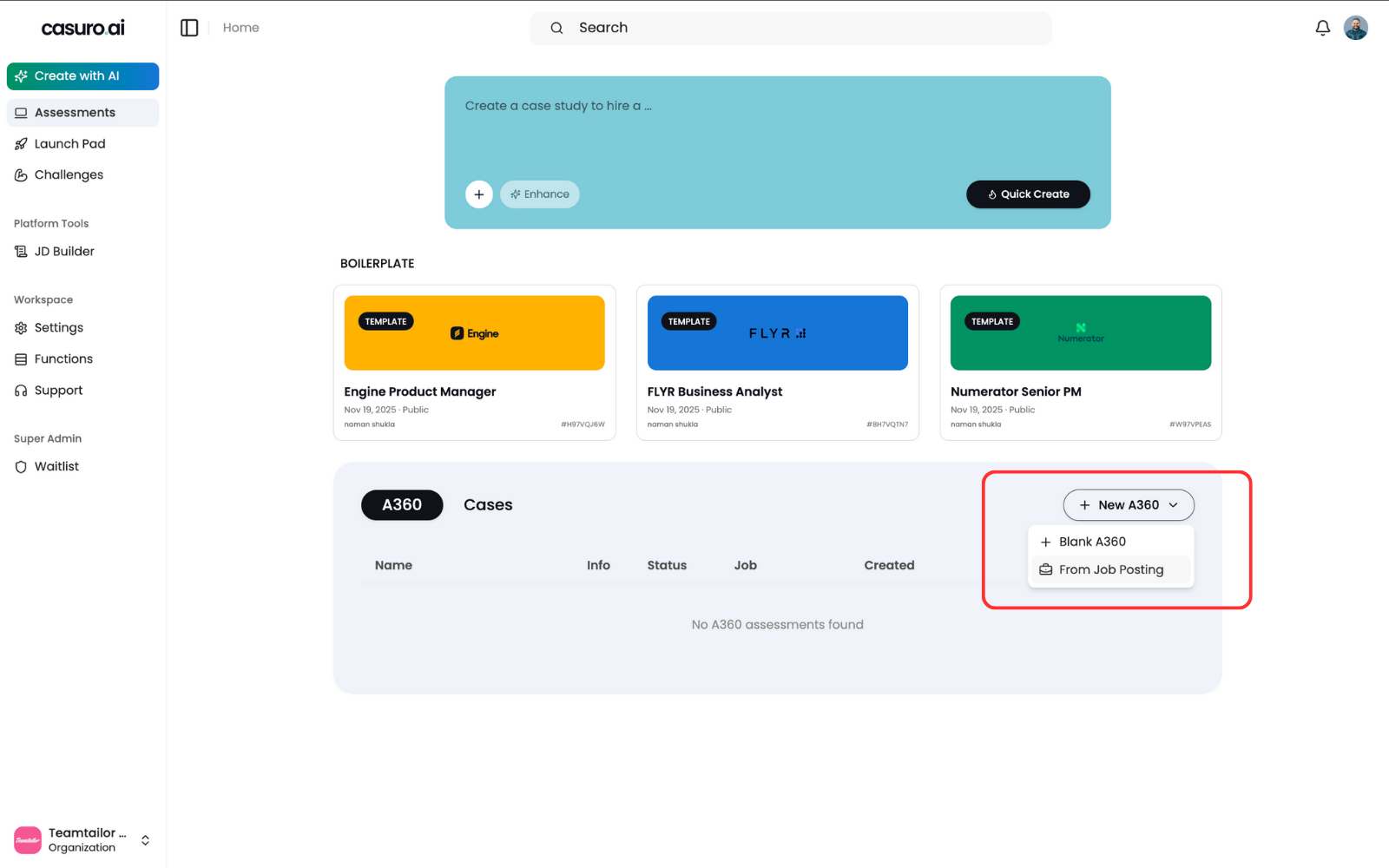
In Casuro, select 'A360 Assessment', click 'New A360', and choose 'From Job Posting'.
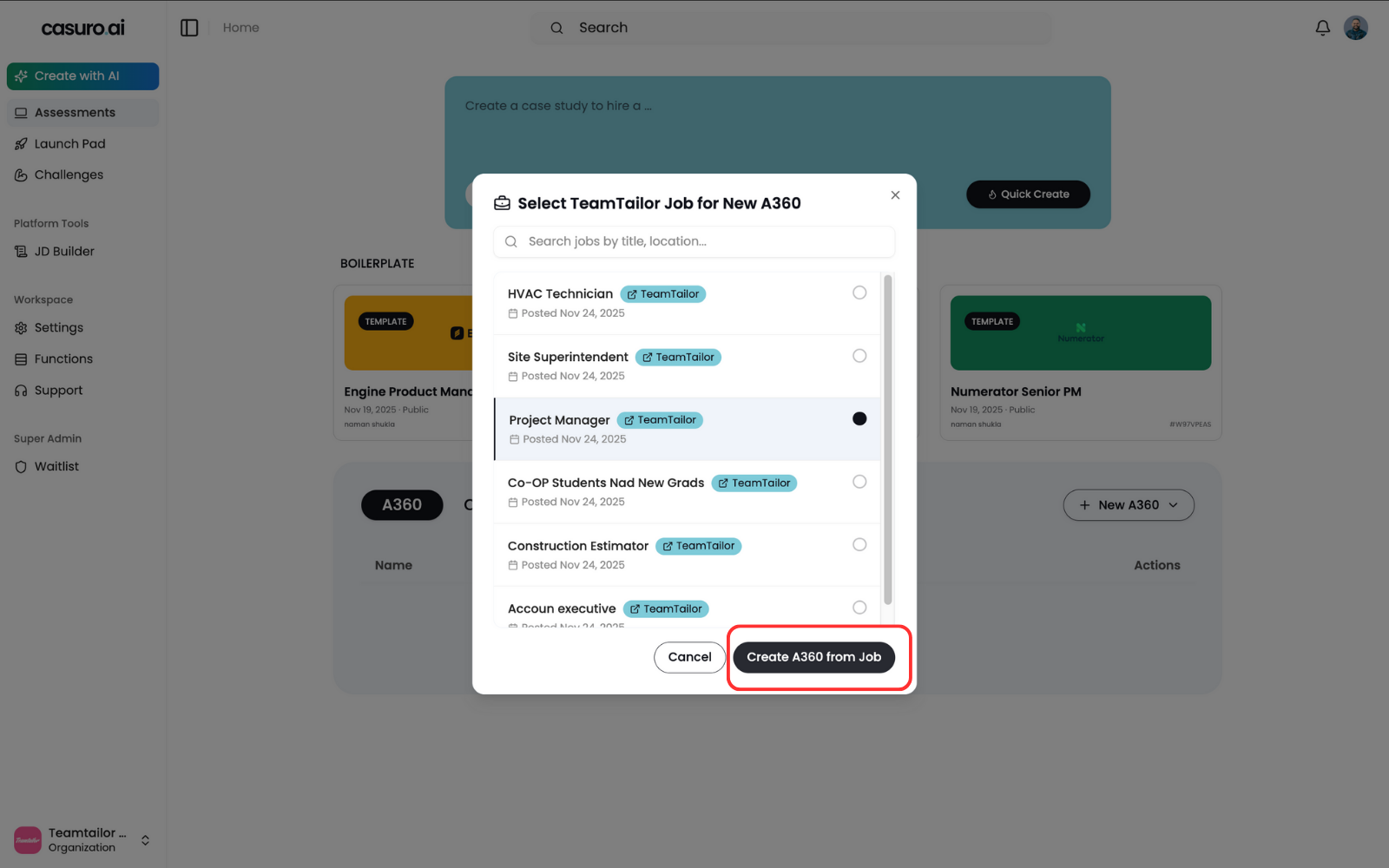
Select the relevant job posting and click 'Create'.
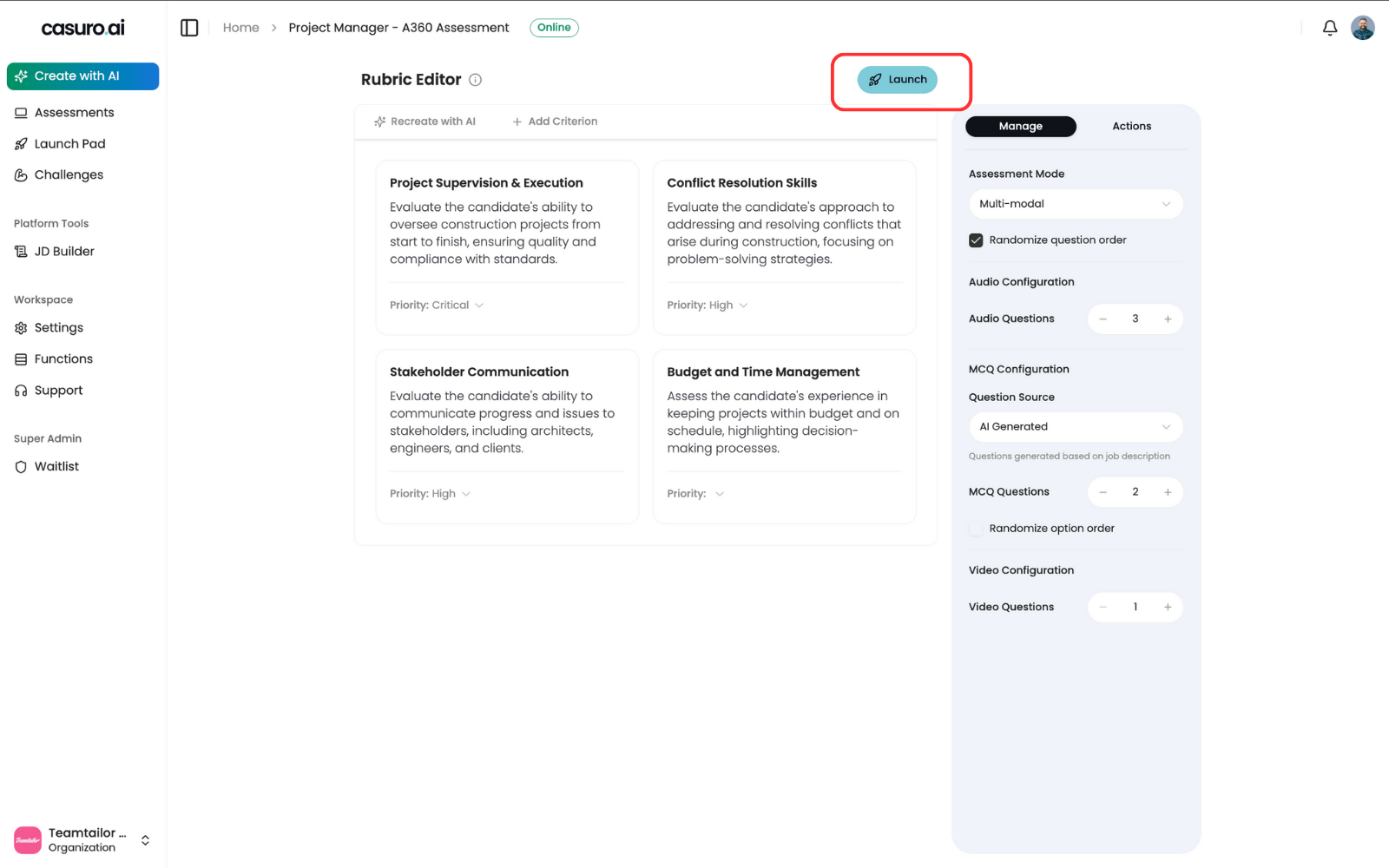
Customize your assessment in the editor, then click 'Launch'.
Verify Automation (Optional)
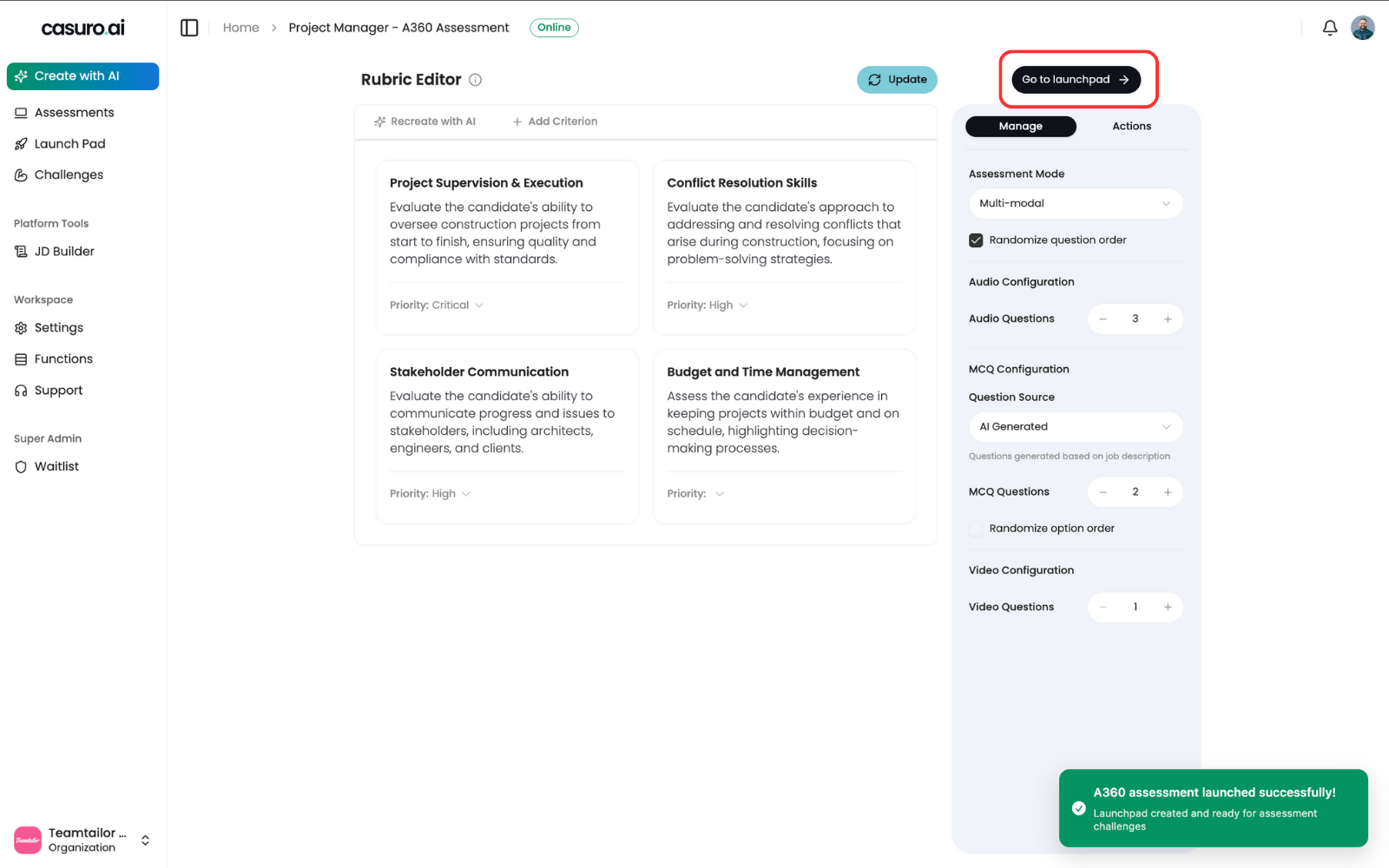
From the success screen, click 'Go to Launchpad'.
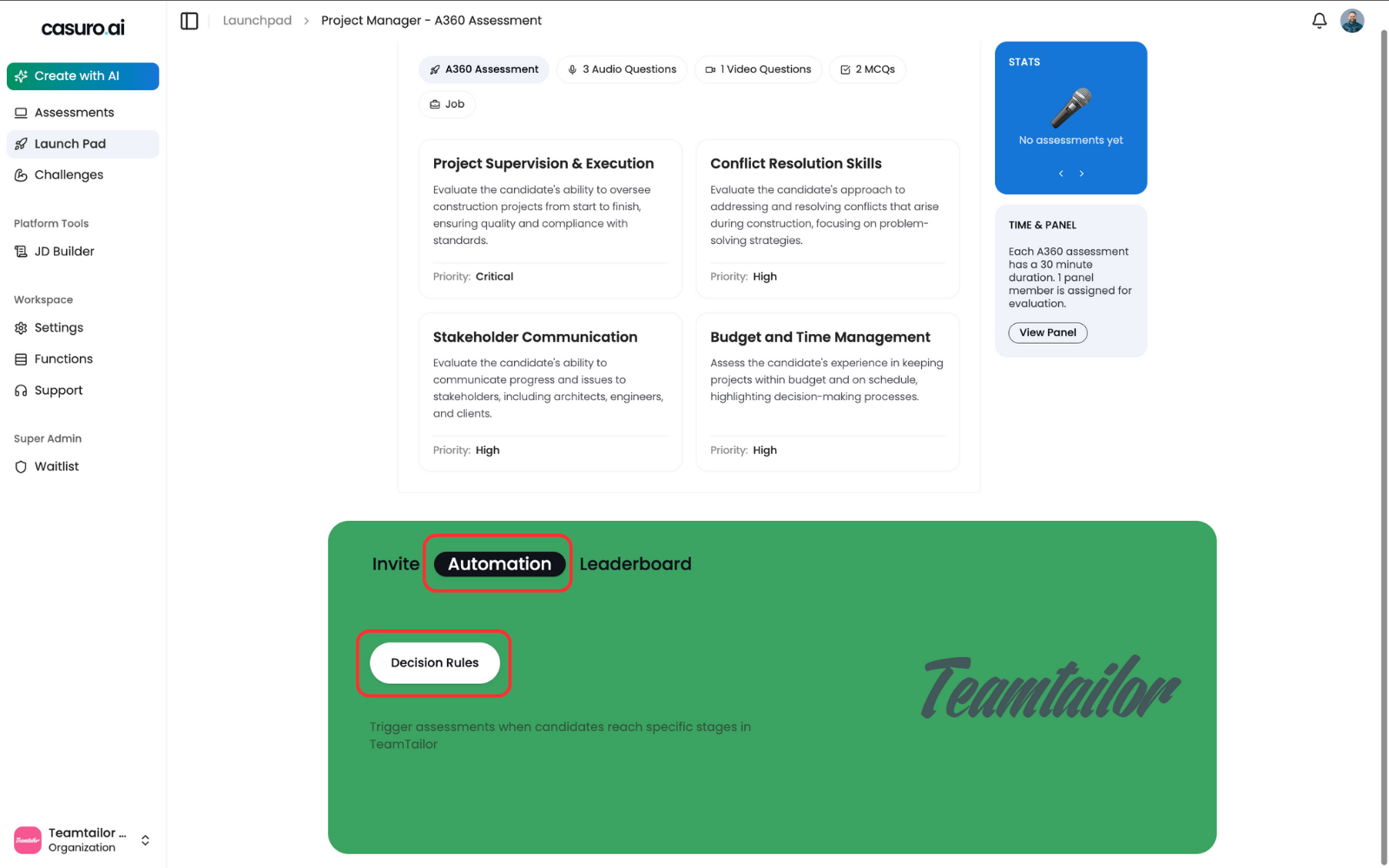
In the 'Automation' tab of the Launchpad, verify that the Teamtailor logo is visible.
Configure Teamtailor Triggers
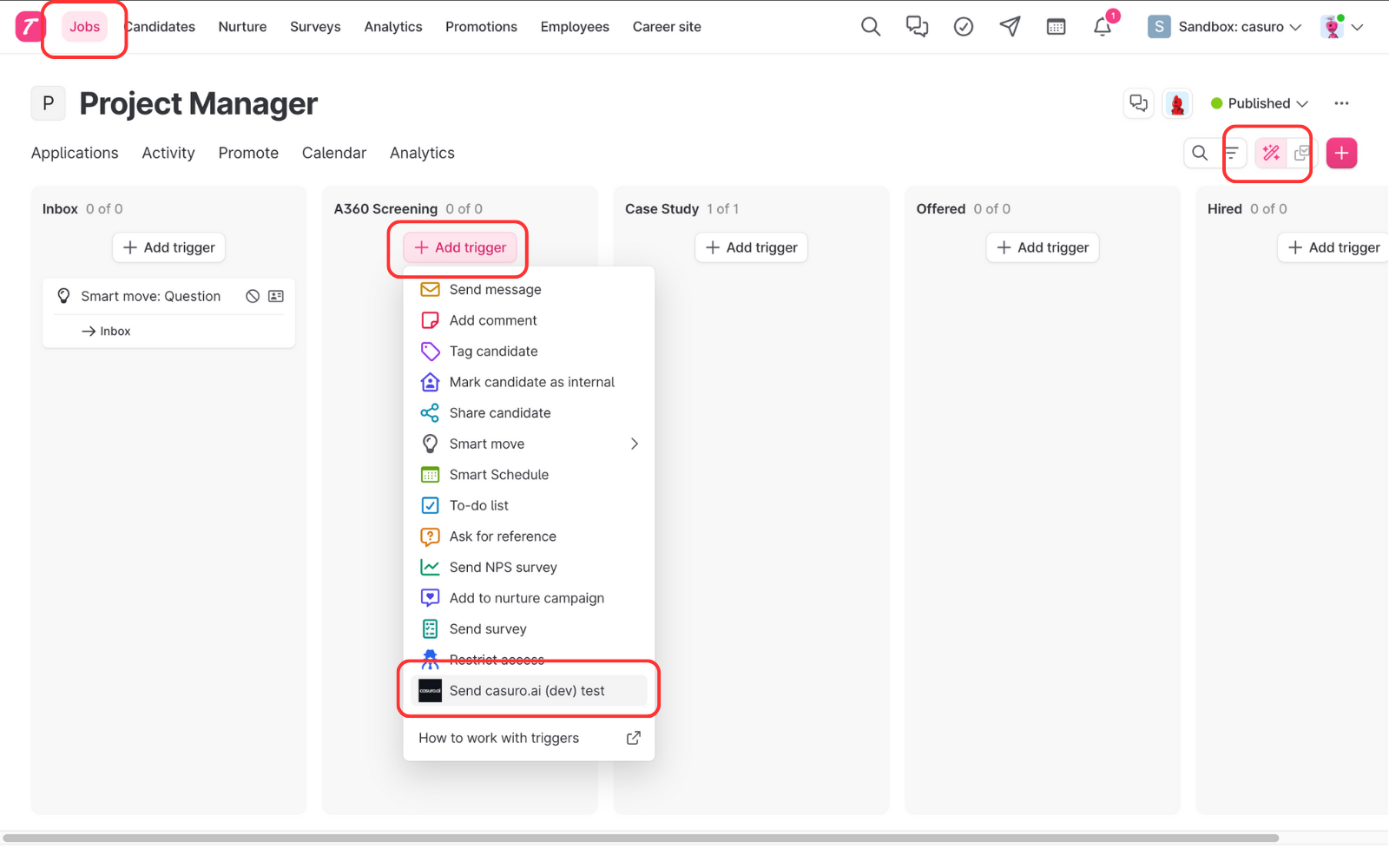
In Teamtailor, go to the Jobs page, click 'Triggers' (pencil icon), add a trigger, and select 'Casuro'.
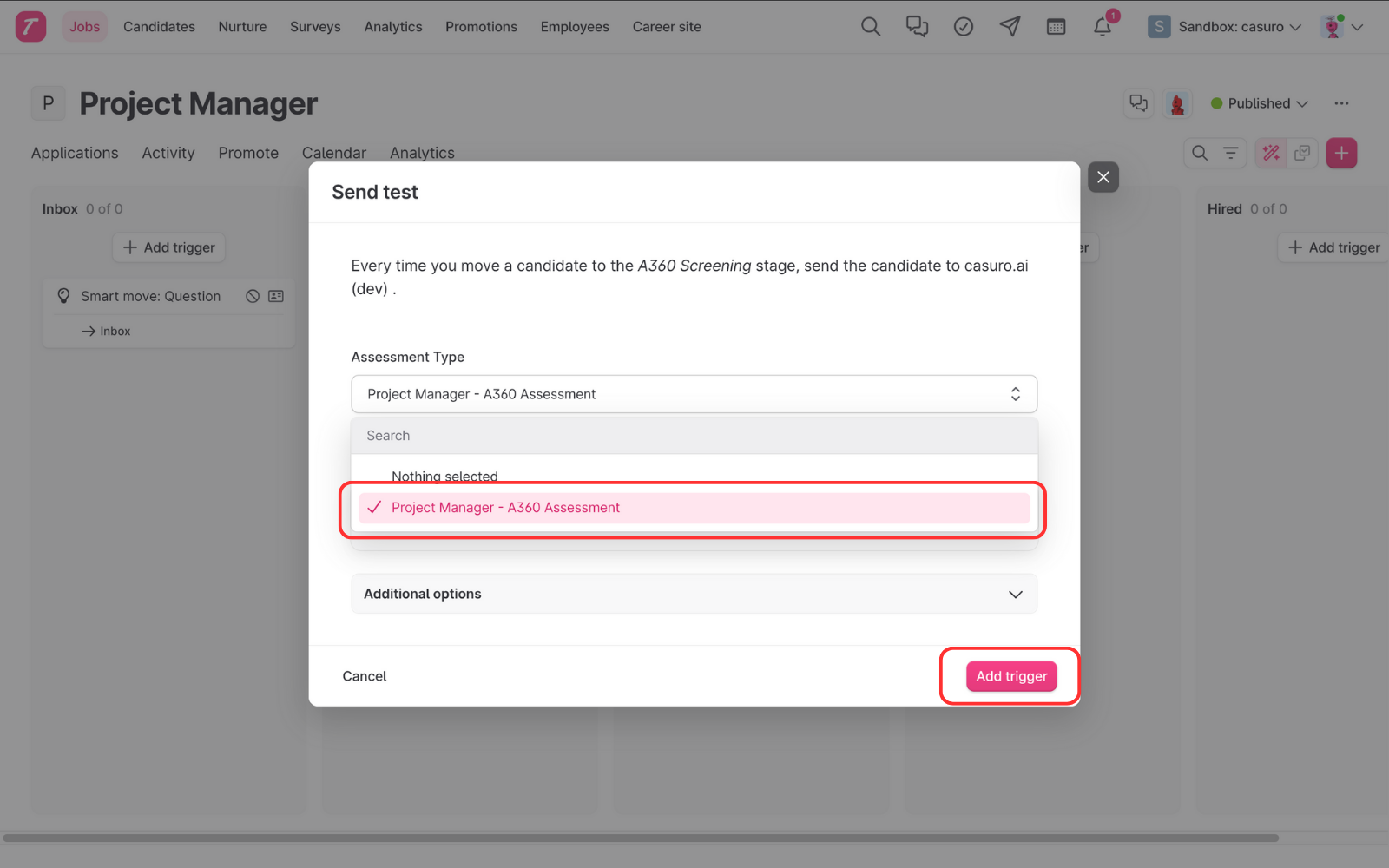
Select the assessment you just launched and click 'Add Trigger'.
Track Progress & Results
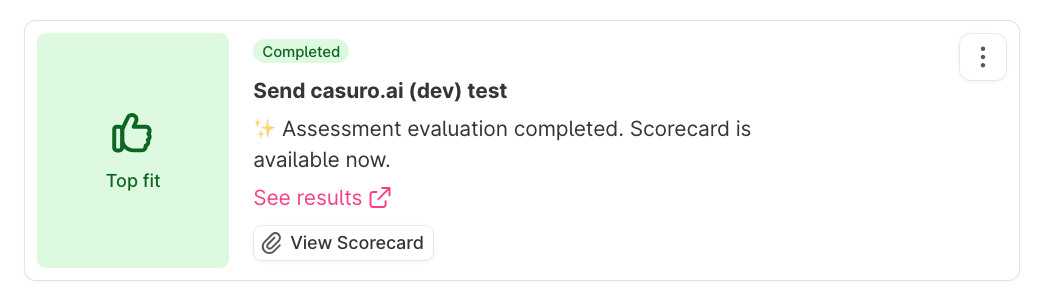
Casuro syncs real-time status updates to the candidate's profile.
- Preparing assessment
- Invitation sent
- Assessment started
- Assessment completed
- Evaluation started
- Evaluation completed
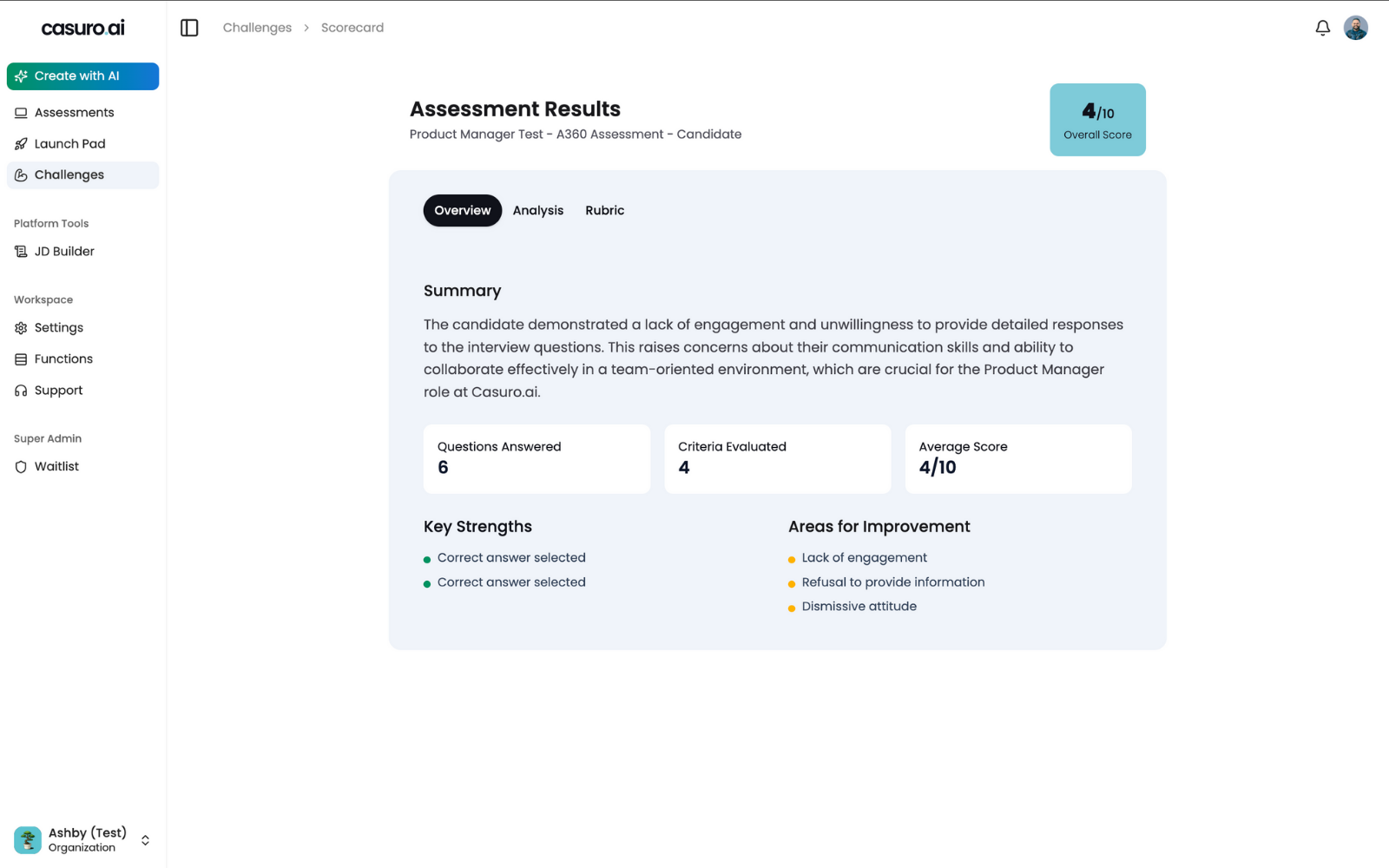
Once evaluated, the final score (0-100) and link to the detailed scorecard are synced to Teamtailor.
Case Study Assessment Workflow
Deploy realistic work simulations automated through your ATS.Create and Launch Case Study
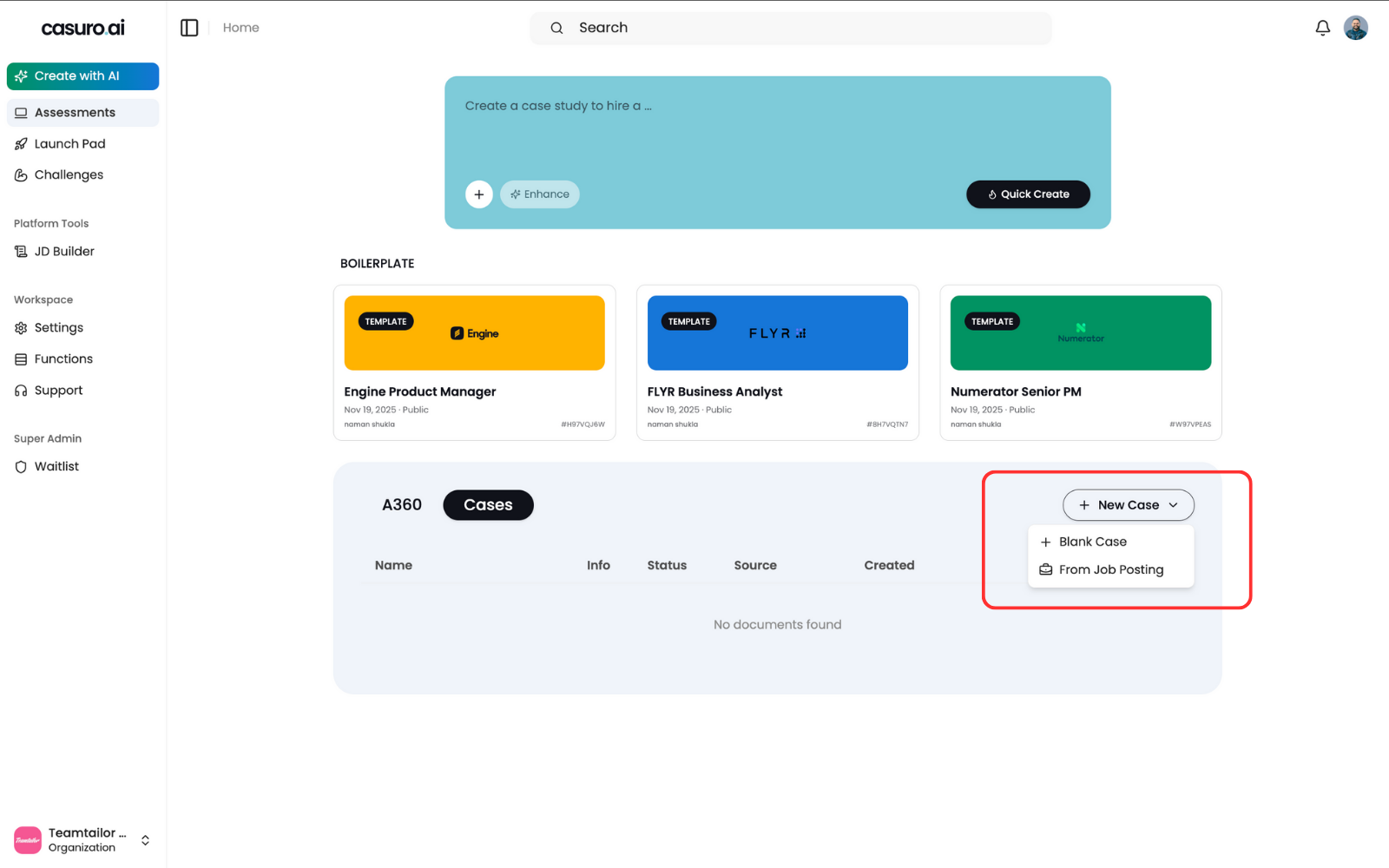
In Casuro, select 'Case Study', click 'New Case Study', and choose 'From Job Posting'.
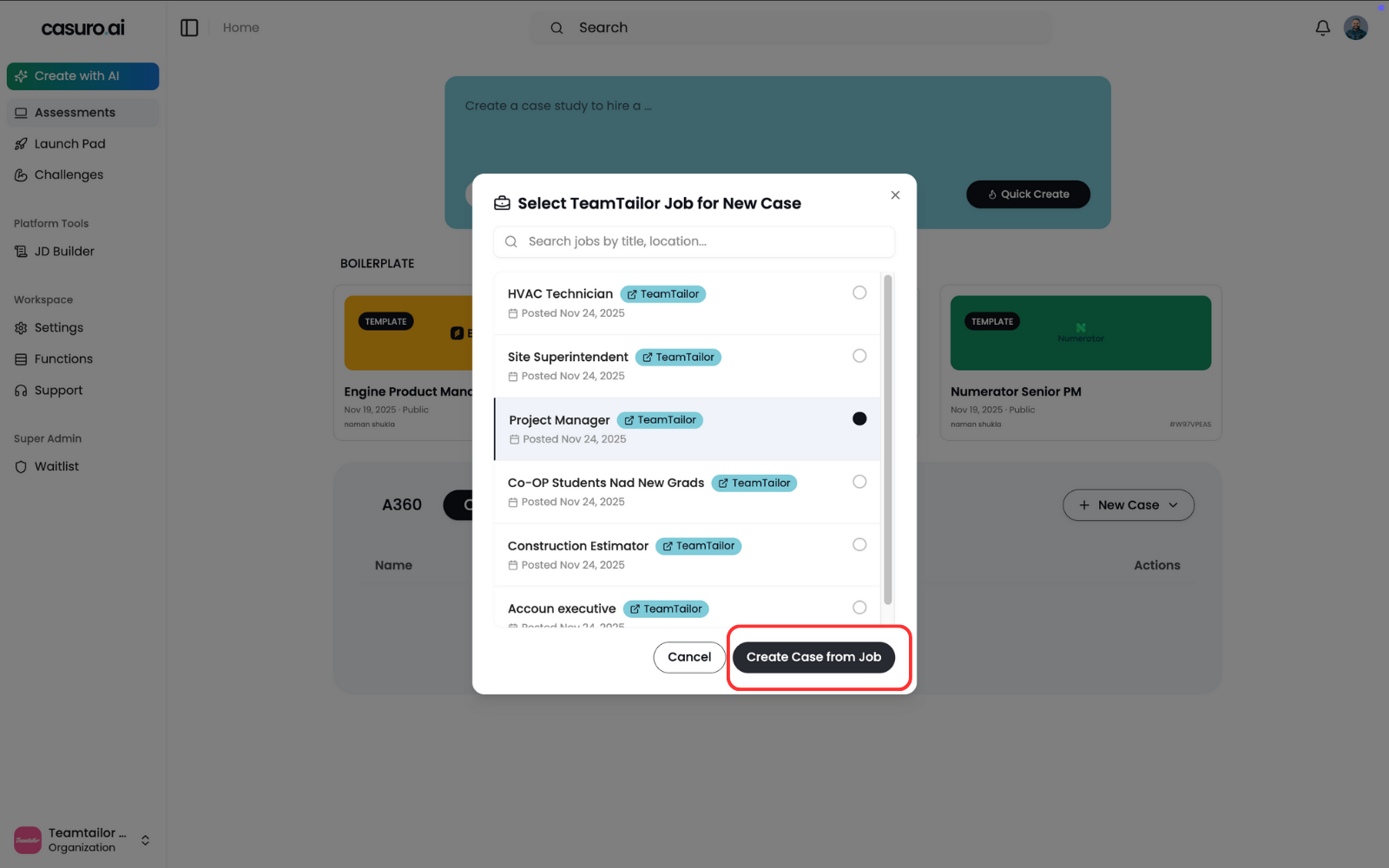
Select the job posting to generate the case study context and click 'Create'.
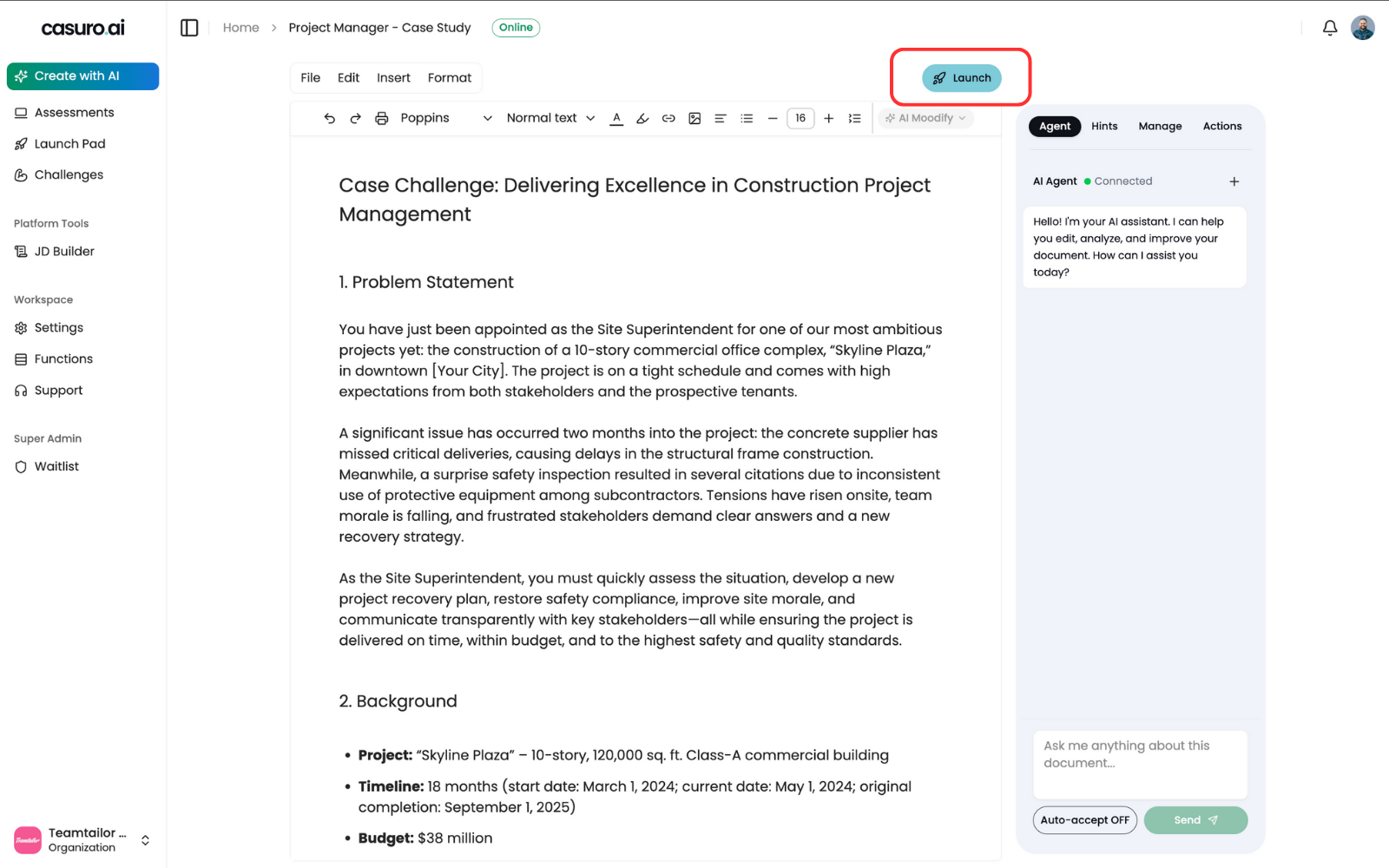
Review the generated content in the editor and click 'Launch'.
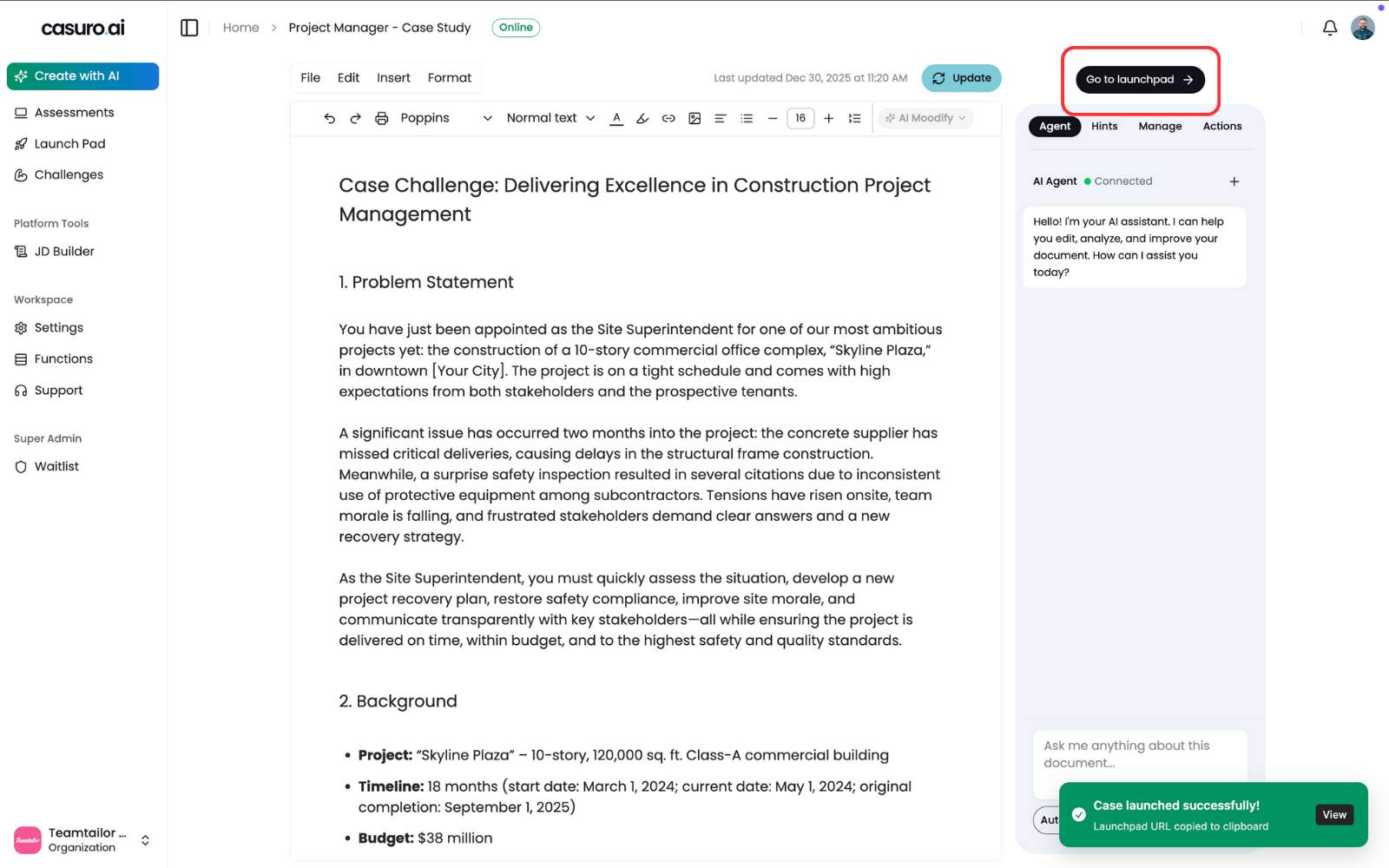
'Go to Launchpad' button will appear to confirm the launch.
Configure Teamtailor Triggers
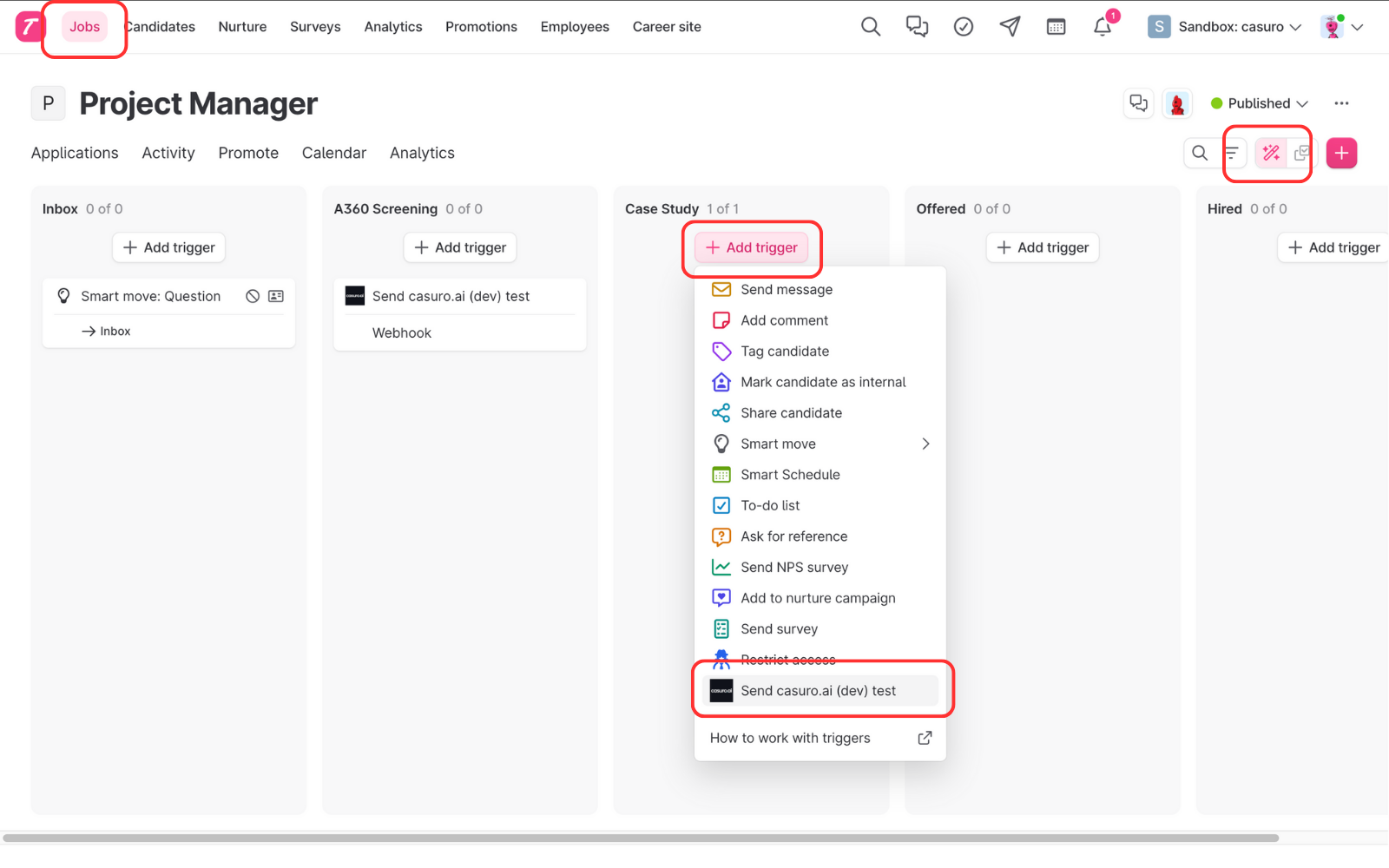
Navigate to the Job's 'Triggers' section in Teamtailor, add a new trigger, and choose 'casuro.ai'.
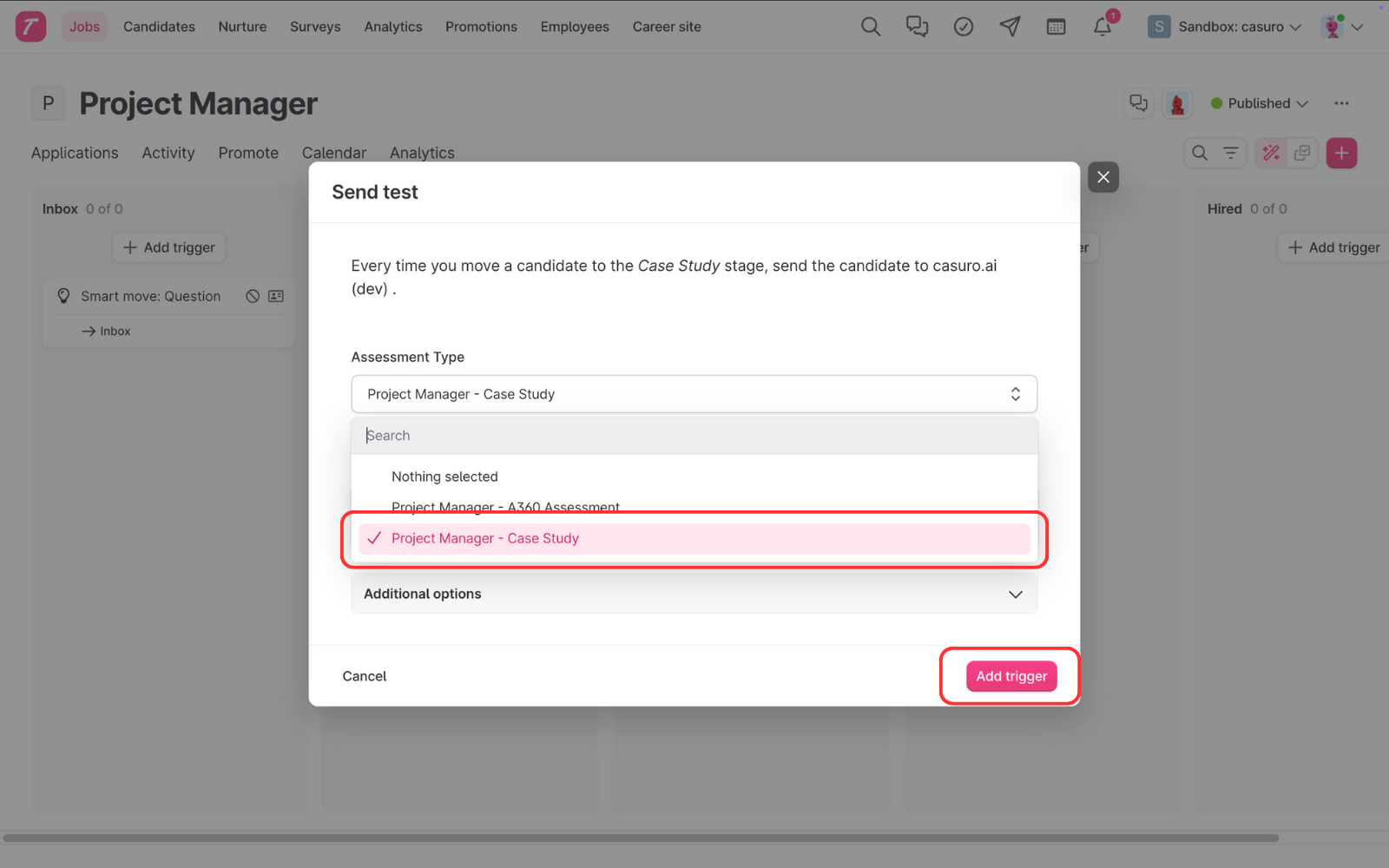
Select the corresponding Case Study assessment and save the trigger.
Track Progress & Results
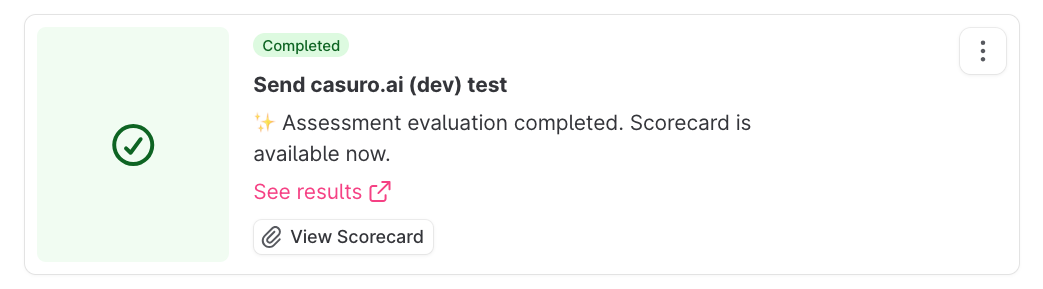
Real-time status tracking keeps you informed at every step.
- Preparing assessment
- Invitation sent
- Assessment started
- Assessment completed
- Evaluation started
- Evaluation completed
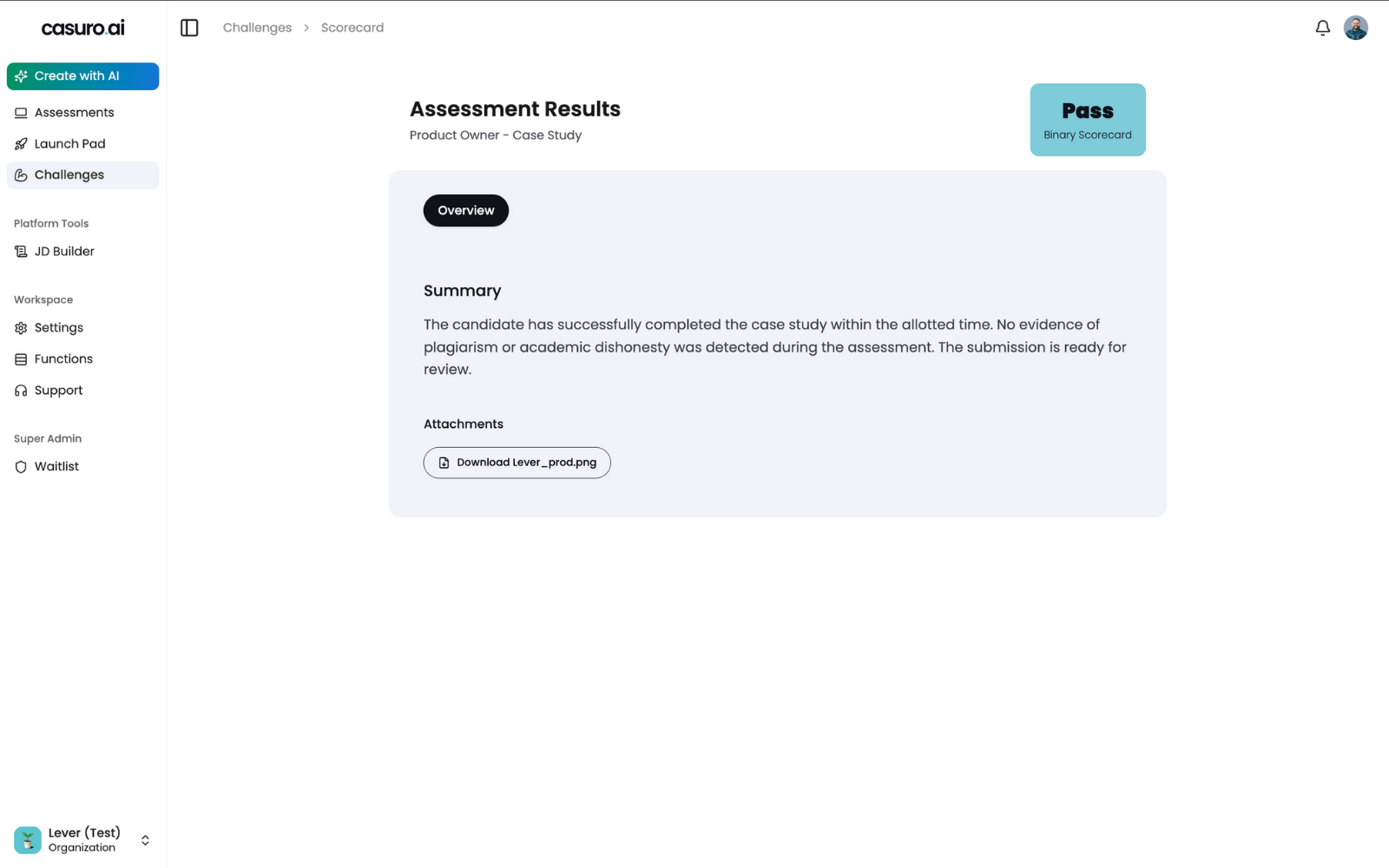
Final scores are synced back to Teamtailor, with a direct link to the comprehensive evaluation.