

Inviting your team
Pre-requisites
- Active casuro.ai account
- Admin or owner privileges
1
Go to manage organization
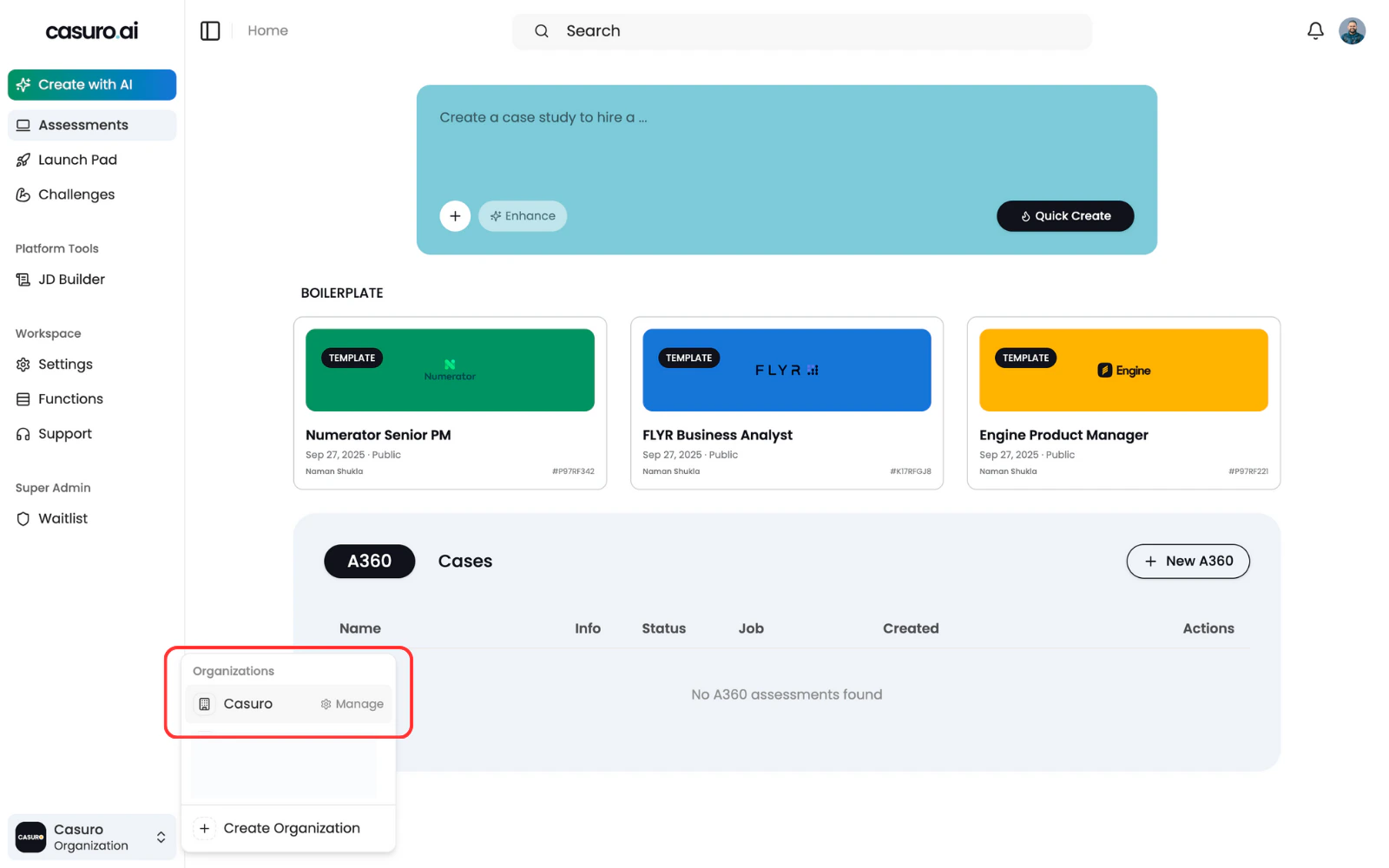
Click on the organization icon located at bottom left sidebar. Then click on manage to open the manage form.
2
Click on invite button
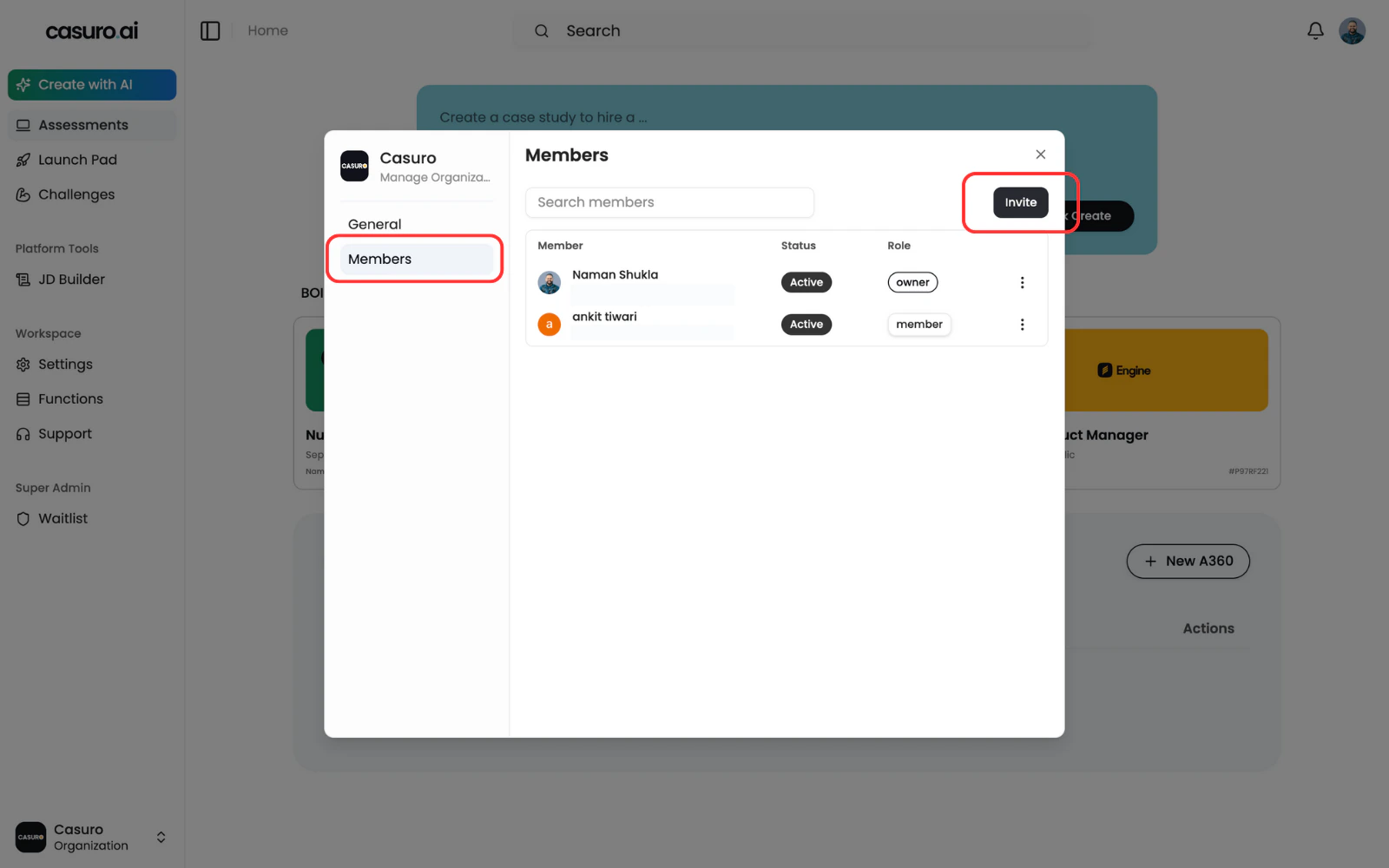
Click on members on the sidebar. Then, on the invite button to open invitation form.
3
Send the invite
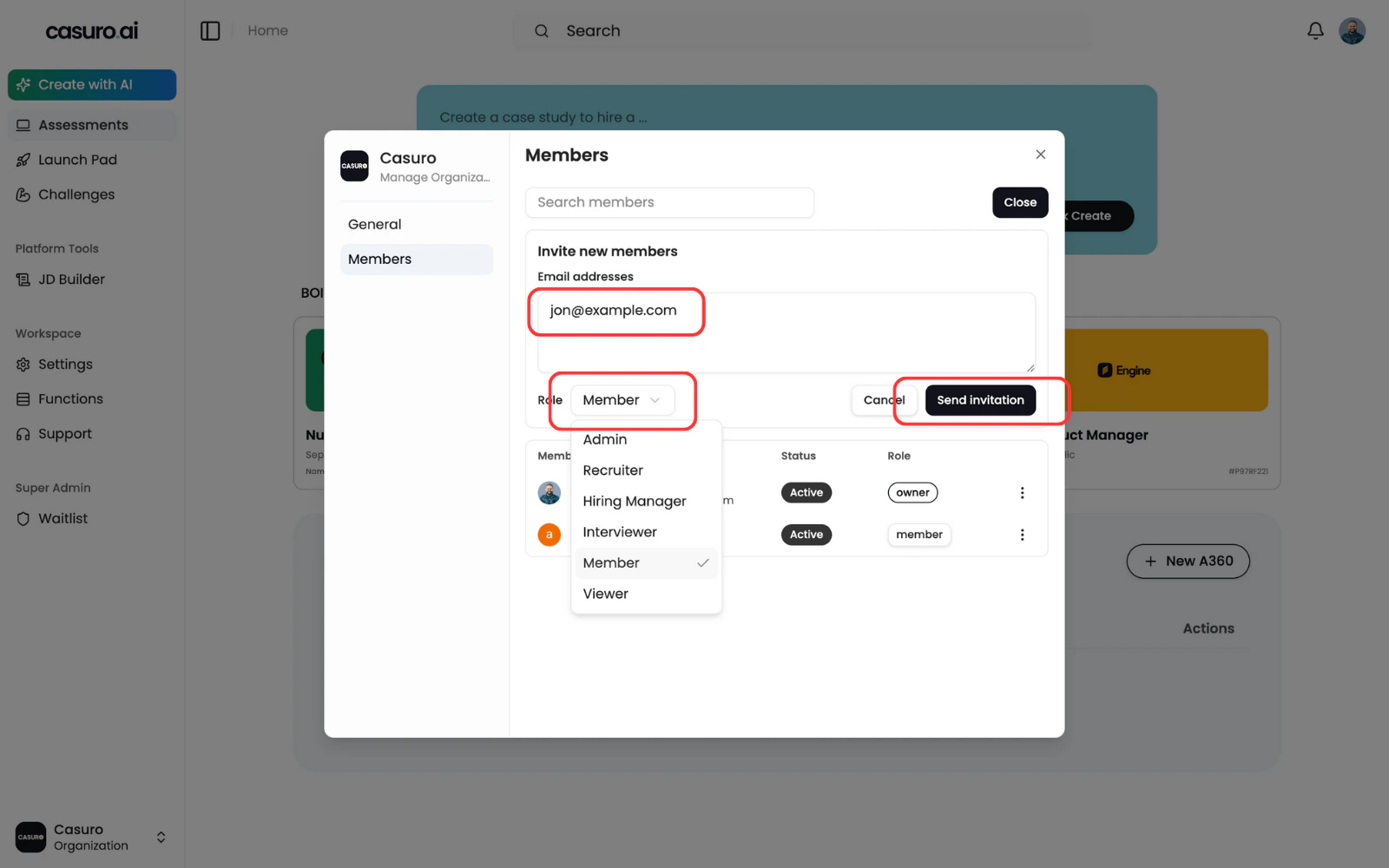
Enter the email(s) in the form. Then select the role for the user(s). Then click on send invitation.
Sometimes the email may not reach the user’s inbox. In that case, let the invited user know to check the spam folder