> ## Documentation Index
> Fetch the complete documentation index at: https://docs.casuro.ai/llms.txt
> Use this file to discover all available pages before exploring further.
# Collaboration
> Collaborate with your team by inviting and sharing
## Inviting your team
**Pre-requisites**
* Active casuro.ai account
* Admin or owner privileges
To invite your team to your casuro.ai account, follow these steps:
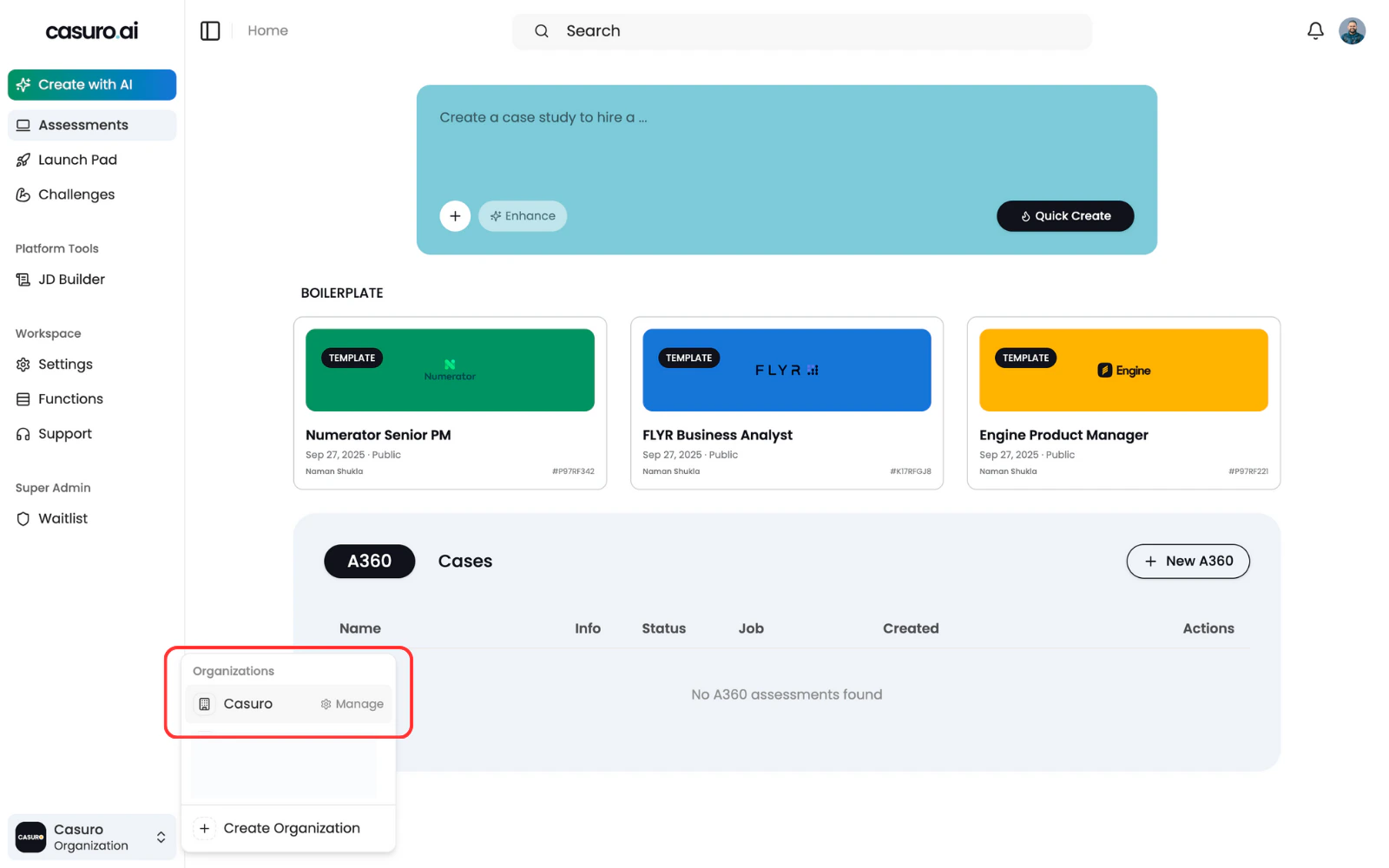
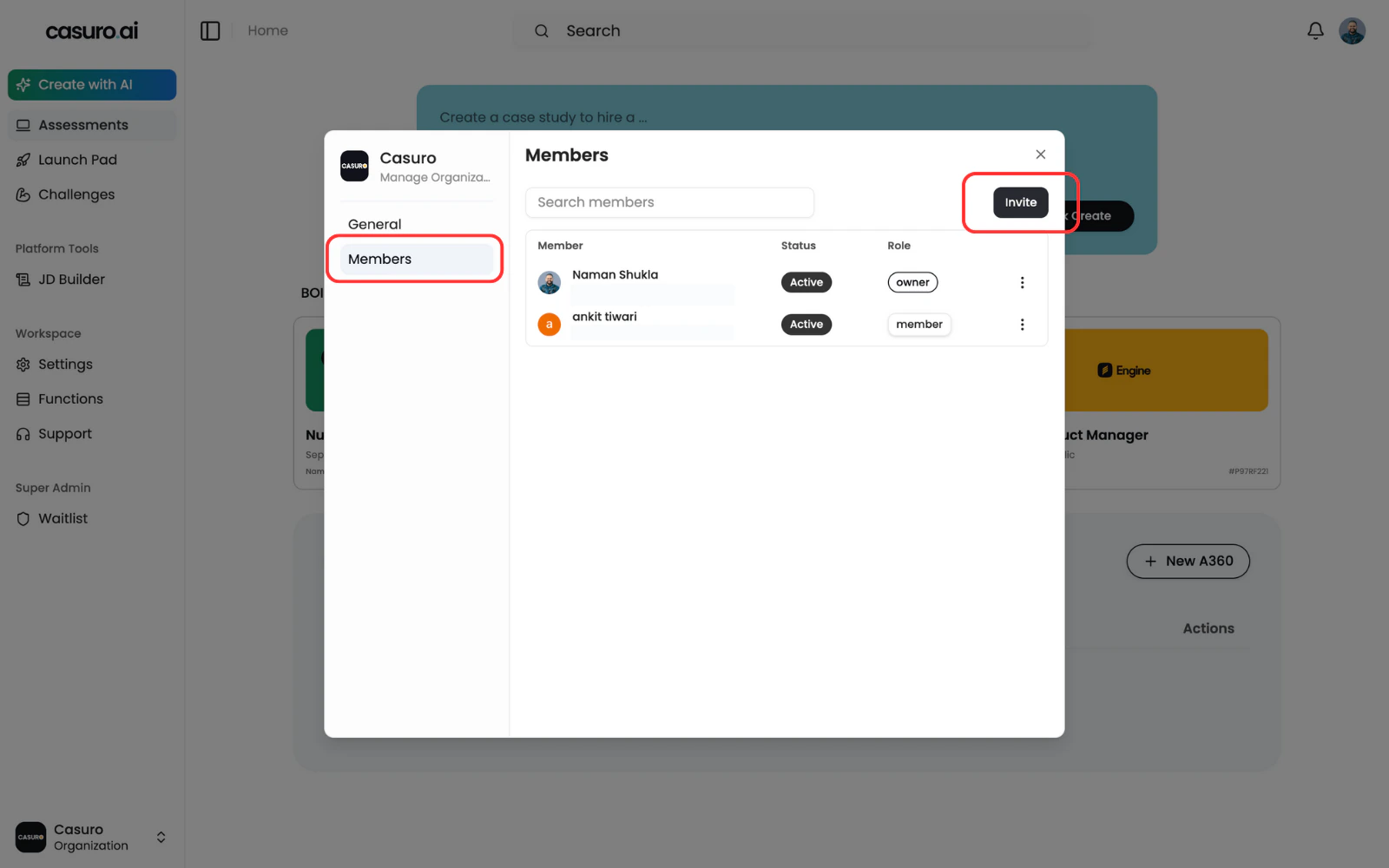
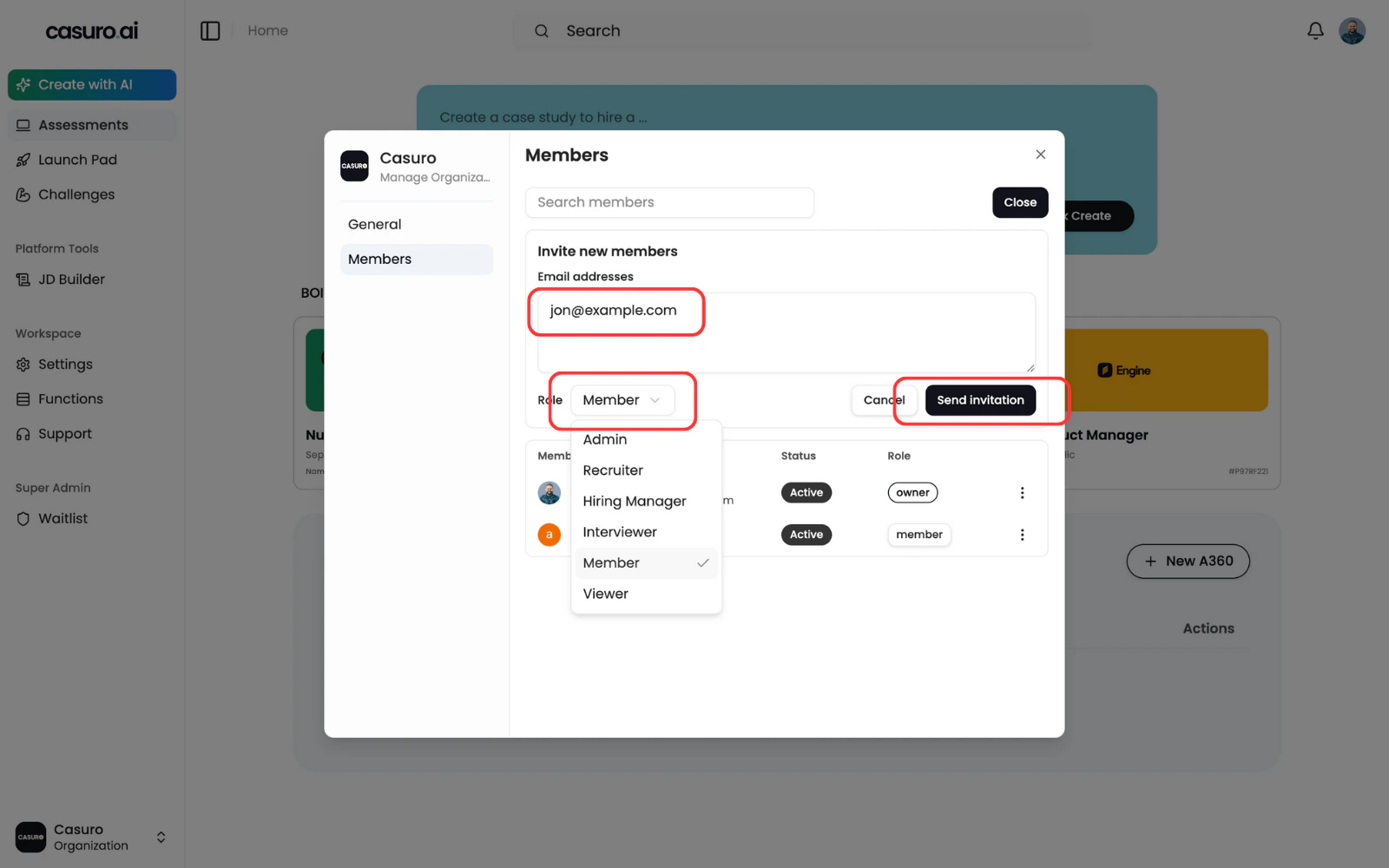 Once the invite is sent, the user will receive an email with a link to accept the invite.
Sometimes the email may not reach the user's inbox. In that case, let the invited user know to check the spam folder
## Permissions
Admins and oweners can change the role attached to a user at any point in time.
So if you've sent an invite to a user and want to change their role, you can do that easily.
Once the invite is sent, the user will receive an email with a link to accept the invite.
Sometimes the email may not reach the user's inbox. In that case, let the invited user know to check the spam folder
## Permissions
Admins and oweners can change the role attached to a user at any point in time.
So if you've sent an invite to a user and want to change their role, you can do that easily.